


What Exactly Is Printing on Notebook Paper?
Let's be honest — when you order a custom notebook, the thing that makes or breaks it is the print. Not the cover design, not the binding. The print on the paper. And most people don't think about printing on notebook paper until they see a smudged logo or a faded line.
Printing on notebook paper sounds simple. You put ink on paper, right? But inside a factory like ours, there are two main ways it happens: offset printing and digital printing. Offset uses plates and wet ink — it's the old-school method, and for bulk runs of 500+, it's still the best. Digital is faster for smaller jobs, but the ink sits on top of the paper rather than soaking in. That matters if you're writing on it later with a pen.
Paper GSM also changes everything. 54 GSM paper absorbs ink differently than 70 GSM. Too much ink on thin paper and it bleeds through. Too little and it looks cheap. If you're ordering in bulk, ask for a proof. We do that at Sri Rama Notebooks — always before we run the whole batch.
Why Print Quality Matters for Bulk Orders
I've seen it happen. A school orders 5,000 notebooks with their logo. The print looks fine in the sample. But when the full order arrives, the logo is blurry on some pages. Why? Because the printer didn't adjust for paper moisture or the ink was cheap. That's the problem with bulk printing on notebook paper — consistency is hard.
Here's what I've learned over the years:
- Always check the proof on the actual paper you're using. Not a separate sheet. The same paper.
- Ask about ink drying time. If they rush it, pages stick together.
- Look at the back of the page. Is there ghosting? That's a sign of too much ink or wrong paper.
Most buyers don't think about these things until they have to explain a bad batch to their boss. And honestly? It's not your job to know the technical stuff. That's why you work with a manufacturer who does.
Ever had a batch where the logo looked wrong? Not the color — something else, something you couldn't put your finger on?
Offset vs Digital Printing for Notebook Paper
You need to decide between offset and digital. Here's a quick comparison:
| Feature | Offset Printing | Digital Printing |
|---|---|---|
| Setup cost | Higher (plate making) | Low (no plates) |
| Cost per unit for bulk | Very low | Higher |
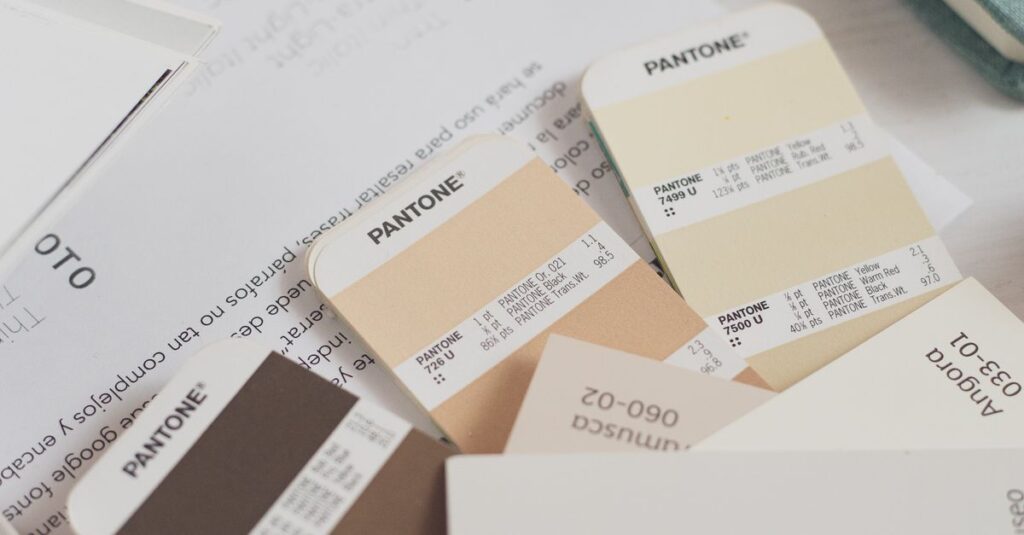
| Color accuracy | Excellent (Pantone matching) | Good (but can vary) |
| Best for | 500+ notebooks, solid logos, fine text | Small runs, variable data |
| Turnaround time | Longer (plate setup) | Faster |
| Print on notebook paper with pen writing | Ink absorbs into paper, won't smudge | Ink sits on top, may smudge with highlighter |
Expert Insight
A few years ago, a corporate client ordered 2,000 branded diaries. They went with digital because it was cheaper for that quantity. The first 500 came out fine. The next 500 started showing streaks. The last 1,000 looked like a photocopier was running out of toner. I still remember the call — the procurement guy, voice tight, saying 'I can't hand these out at the conference.' We ended up reprinting on offset at cost. The lesson: for anything you're giving away, go offset. Always. Don't quote me on the exact numbers, but I think that mistake cost them nearly double in the end.
Cover Printing vs Inside Page Printing
Here's a thing most people don't realize: printing on the cover is completely different from printing on the inside pages. Covers are thicker, often coated, and can handle foil stamping or embossing. Inside pages need to be writable — so the print has to be light enough that a ballpoint pen can still glide over it.
Meet Rajesh, 34, procurement manager at a tech firm in Hyderabad. He ordered 10,000 notebooks for a product launch. The cover had the company logo in gold foil — that part went fine. But the inside had a printed index on the first page, and it came out too dark. People couldn't read their own notes over it. We had to reprint the inner sheets. Third coffee of the day. No food since lunch. That was Rajesh when he called us. We sorted it, but it taught me: always test the combination of cover and inside print separately.
The trick is to ask your manufacturer to run a dummy page with your actual ink and paper combo. Not a simulation. The real thing. Most won't offer it unless you insist.
How to Get Printing Right on Your Notebook Order
Look, I could give you a ten-step checklist. But here's what actually matters:
- Know your quantity. Under 500? Digital is fine. Over 500? Offset saves money and gives better quality.
- Match paper to ink. High-GSM paper can take heavy ink. Cheap paper needs ink that dries fast.
- Get a physical sample. Not a PDF. A printed page on your exact paper.
- Talk to the press operator. Not just the sales guy. The one who actually runs the machine. They know the quirks.
I've seen bulk buyers skip these steps and then regret it. The question isn't whether you can print on notebook paper. It's whether you're willing to do it right. Most people aren't. But if you've read this far, you probably are. Check our printing services — we've been doing this since 1985.
Frequently Asked Questions
What type of printing is best for notebook covers?
For covers, offset printing gives the best results for full-color logos. Foil stamping or embossing works for a premium finish. Digital printing is okay for small runs but won't match the durability of offset.
Can you print on both sides of notebook paper?
Yes, but you need to manage ink thickness. Thin paper (54 GSM) may show ghosting on the back. Heavier paper (70 GSM and above) handles double-sided printing much better. Always request a printed sample first.
Does paper GSM affect print quality?
Absolutely. Lower GSM paper absorbs ink quickly and can cause bleeding. Higher GSM holds the ink on the surface, giving sharper text and images. For notebooks that will be written on, 54–70 GSM is the sweet spot.
How long does custom printing take for bulk?
For a typical order of 5,000 notebooks, offset printing takes 7–10 working days including drying time. Digital can be faster (3–5 days) but isn't ideal for long runs. Rush orders are possible but add cost.
What is the minimum order for custom printing?
We start at 500 notebooks for offset printing. For digital, we can do as few as 100. However, the per-unit cost drops significantly after 1,000. Contact us for a quote based on your exact specs.
So, What's the Takeaway?
Printing on notebook paper isn't complicated — but it has details that matter. Paper type, ink choice, and printing method all change the final result. The biggest mistake is assuming all printing is the same. It isn't. If you're buying in bulk, spend the extra time on the proof. It saves money in the long run.
I don't think there's one perfect way to do it. Every order has its own quirks. But if you've read this far, you already know you want quality — you're just figuring out who to trust with it. Sri Rama Notebooks has been printing on notebook paper since 1985. We know the pitfalls. We'll help you avoid them.