

What 'Printing Type' Actually Means
Let's be honest — when most people order notebooks, they think about paper quality, binding, maybe cover design. The printing type? It's an afterthought. Then the first batch arrives and something feels off. The logo looks washed out. The text is blurry. The color doesn't match your brand guide. That's when you realize printing type matters more than you thought.
Here's the deal: printing type refers to the method used to transfer ink onto paper. In notebook manufacturing, we deal with a few main ones — offset, digital, screen, and sometimes foil stamping or embossing. Each has strengths and weaknesses. Which one you choose depends on quantity, design complexity, budget, and how soon you need delivery.
If you're buying notebooks in bulk, getting this right saves money and headaches. I've seen procurement teams waste months on reprints because they picked the wrong printing type for their spec. Let's break it down so you don't make those mistakes. If you're looking for a partner who understands this stuff, Sri Rama Notebooks has been doing it since 1985.
Offset vs Digital: The Showdown
Most bulk notebook orders fall into two camps: offset printing and digital printing. They're not the same. And one isn't always better — it depends.
Offset Printing
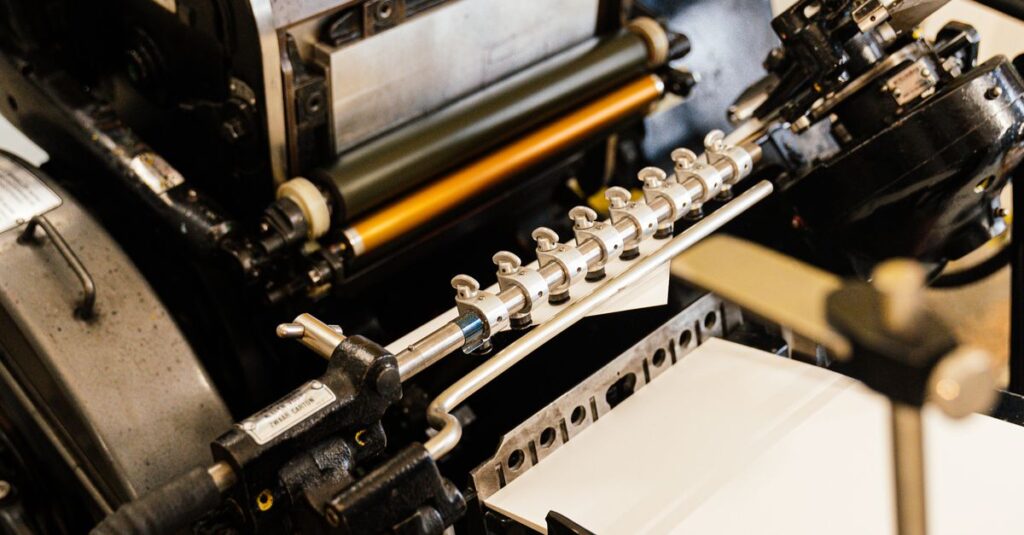
Offset uses metal plates to transfer ink onto a rubber blanket, then onto paper. It's the old-school workhorse. High quality, consistent color, and the unit cost drops dramatically as the quantity goes up. Good for runs of 1,000+ notebooks. Setup is costly, but per piece it's cheap.
Digital Printing
Digital skips the plates — it's like a giant laser printer. Faster setup, no minimum quantity, easy to change designs between runs. Great for short runs (under 500) or when you need proofs fast. Quality is good, but not quite as sharp as offset on large solid areas.
Real-life example: A few months ago, a school in Vijayawada ordered 5,000 custom notebooks for their annual day. They were in a rush — three weeks. Digital printing was the only option that could meet the deadline. But for their 50,000 notebook semester order, they switched to offset because the cost savings were huge.
Here's a quick comparison:
| Factor | Offset Printing | Digital Printing |
|---|---|---|
| Best for quantity | 1,000+ pieces | Under 500 pieces |
| Per-unit cost (large runs) | Low | Higher |
| Setup cost | High (plates, time) | Low (none) |
| Color accuracy | Excellent, Pantone matching | Good, but slightly less consistent |
| Turnaround time | Longer (plate making, drying) | Fast (print and fold) |
| Design changes mid-run | Expensive (new plates) | Easy (just change the file) |
The question isn't which one is better. It's which one fits your order. And maybe you weren't expecting this, but sometimes mixing both — digital for short-run test samples and offset for the main order — is the smartest move. Most people don't think of that.
Printing Type and Your Budget
Let me tell you about Ramesh. He's a procurement manager at a mid-sized IT firm in Hyderabad. 47 years old. He was tasked with ordering 10,000 corporate diaries for client gifts. He initially picked foil stamping because he saw it at a trade show and liked the look. But he didn't check the per-unit cost until after we sent the quote. Foil stamping on each cover? That doubled his budget. He had to go back to his CFO and explain why. Not fun.
So how does printing type affect budget?
- Offset: High setup, low per-unit after 1,000 pieces. The more you order, the cheaper each notebook gets.
- Digital: No setup, but each copy costs roughly the same, even at 5,000. So for huge runs, offset wins.
- Screen printing: Used for thick ink layers or specialty covers. Good for logos on cloth or leather. But very slow for large quantities.
- Foil / Embossing: Adds elegance, but each color of foil requires a separate die. Expensive for short runs.
I remember one customer — a bank in Chennai — wanted 5,000 notebooks with their logo embossed in gold foil on a leatherette cover. Gorgeous. But each notebook took an extra 40 seconds in the press. At 5,000 pieces, that's over 55 hours of machine time. They nearly had a heart attack when they saw the revised timeline. We compromised: foil stamp only on the front cover, not the back. Saved 30% and still looked premium.
Expert Insight
I was talking to an old press operator in our factory last Diwali. He's been running offset machines since 1990. He said something I still think about: "Digital is like a microwave — fast, convenient, but it doesn't sear the flavor in. Offset is a slow-cooked biryani. Takes time, but the result is richer." Not a perfect analogy, but he's not wrong. For notebooks that will be used daily for a year, the quality of the print matters. You can feel the difference between a digitally printed cover and an offset one, especially after a few months of use.
Quality and Finish: What to Look For
Okay, so you've decided between offset and digital. But there's more to it. The printing type also affects how your notebook feels. Readability. Smudge resistance. Whether ink bleeds through to the other side.
Things to check before ordering:
- Ink coverage: Large solid areas (like a dark background) can look uneven in digital. Offset handles solids better.
- Registration: how well the colors align. Offset is tighter. Digital can sometimes be slightly off, but modern machines are good.
- Paper compatibility: Some printing types handle thin 54 GSM paper better. Digital heat can warp lighter papers. Offset uses cold set or heat set depending on the paper.
- Drying time: Offset uses solvent-based inks that need drying time. Digital uses toner or UV-cured inks — dry instantly.
- Smell: Offset inks have a distinct chemical smell for the first few days. Digital is essentially odorless. For diaries that go into gift packs, that matters.
And here's something nobody tells you: if you're putting a full-color photo on the cover, offset is almost always better. The gradient smoothness is visible side by side. With digital, you sometimes see tiny dots (dithering). Most people don't notice, but your brand manager will.
Common Mistakes When Choosing a Printing Type
I've been doing this long enough to see the same errors pop up again and again. You'd think after 40 years people would learn. But nope.
Mistake 1: Choosing the cheapest option without a test run.
You get what you pay for. A low-bid print job that uses the wrong printing type can leave you with notebooks that look like photocopies. Spend the money on a proper proof first.
Mistake 2: Assuming digital is always faster.
For large quantities, offset can actually be quicker because the press runs faster once it's set up. Digital might take the same time for 50 books or 500. But for 10,000, offset wins the speed race after the initial setup.
Mistake 3: Ignoring the cover material.
Some printing types don't adhere well to textured or coated covers. Foil stamping won't work on high-gloss laminated paper without the right preparation. Always tell your printer the exact cover material before they quote.
I think — and I could be wrong — that the biggest mistake is not asking enough questions. Procurement teams treat printing type as a checkbox. But it's a decision that cascades into every part of the final product.
Why Experience Matters
This might sound like a plug, but hear me out. A manufacturer that's been running since 1985 has seen every scenario. They've printed on every paper, every cover, every binding. They know that for a bulk school notebook order, offset is almost always the right printing type because of volume. They know that for a short-run corporate diary with personalized names on each cover, digital variable data printing is the only sane choice.
At Sri Rama Notebooks, we have 7 offset machines and 3 high-speed digital presses. We don't push one over the other — we recommend based on your numbers. And we don't charge for advice.
Anyway. Where was I. Right — printing type isn't a glamorous topic. But it's the difference between a notebook that sits in a drawer and one that gets used every day. Worth getting it right.
Frequently Asked Questions
What is offset printing in notebooks?
Offset printing uses metal plates to transfer ink to a rubber blanket, then to paper. It's the standard for large runs because it gives sharp, consistent results and lower per-unit cost once the setup is done.
Can I use digital printing for a bulk order of 5,000 notebooks?
Yes, but it will likely cost more per notebook than offset. Digital is better for under 500–1,000 pieces, or when you need fast turnaround. For 5,000, offset is usually the smarter printing type choice.
Does printing type affect how long notebooks last?
Yes. Offset inks bond well with paper and resist fading longer. Digital toner can scuff if exposed to moisture or friction over years. For diaries meant to be used daily, offset holds up better.
Can I mix multiple printing types in one notebook order?
Absolutely. Common combinations: offset for the inside pages (text) and foil stamping for the cover logo. Or digital for a small run of sample notebooks, then offset for the main order. Just communicate clearly with your printer.
What printing type is best for notebooks with full-color covers?
Offset offset offset. It gives the smoothest gradients and most accurate color reproduction. If your cover has photos or complex artwork, offset is the go-to printing type. Digital can work but you may lose some detail.
Conclusion
Three things to take away: First, the printing type you choose shapes the look, feel, and cost of your notebooks. Second, offset wins for quantity and quality; digital wins for speed and flexibility. Third, don't guess — ask someone who's done it before. I don't have a neat ending for this because there isn't one. Every order is different. But if you're still reading, you probably care enough to get it right. That's more than most do. If you want a quote or just want to talk through your options, Sri Rama Notebooks is a call or email away.