

Introduction
Look, I’ve been at this for over forty years — the notebook game, I mean. And one thing that comes up every single time a new buyer calls? They ask about the ‘paper printing machine.’ It’s probably the most googled, most misunderstood term in this whole industry. You, the corporate procurement manager or the school principal ordering 10,000 notebooks, you just need to know: what am I actually paying for? What is this piece of equipment, really, and why does it matter so much for the quality of the notebooks landing on my desk?
The confusion is real. Some people think it’s one giant, magical box that eats trees and spools out finished diaries. Others picture something like a glorified office printer. Neither is right. The truth is more interesting, and honestly, it’s the difference between getting a product that feels cheap and one that lasts. If you’re trying to source notebooks — for your company, your school, your distributorship — you need to cut through the noise. You need to know what you’re talking about when you discuss specs with a manufacturer. Our team deals with these questions daily, and the answers aren’t always straightforward.
So, What Actually Is a Paper Printing Machine?
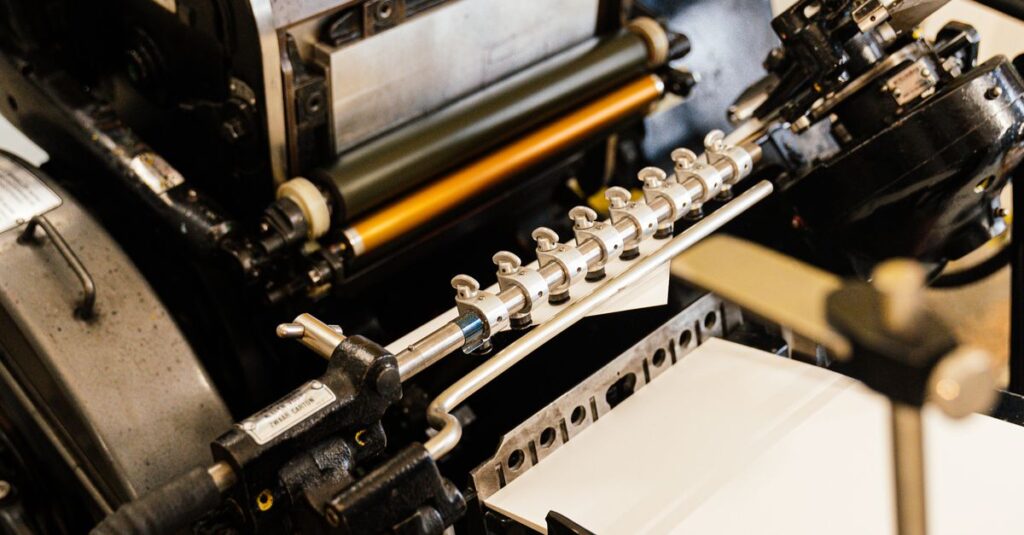
Right. Let’s break it down. A ‘paper printing machine,’ in the context of making notebooks, diaries, or any stationery, isn’t a single machine. It’s a system. It’s the entire production line that takes raw paper — those massive rolls, what we call reels — and turns them into printed, cut sheets ready for binding. The core of this system is the offset printing press.
Think of it like this. You have a metal plate with your design etched onto it — your company logo, the ruled lines for a notebook, the header for an account book. This plate gets inked. But instead of printing directly onto the paper, it first transfers that ink onto a rubber blanket cylinder. Then that blanket rolls the ink onto the paper. That’s the ‘offset’ part. It sounds like an extra step, but it’s the only thing that gives you sharp, consistent, professional-quality printing across tens of thousands of pages. A digital printer? It can’t touch this for bulk. Not on cost, not on speed, not on the sheer feel of the ink on the paper.
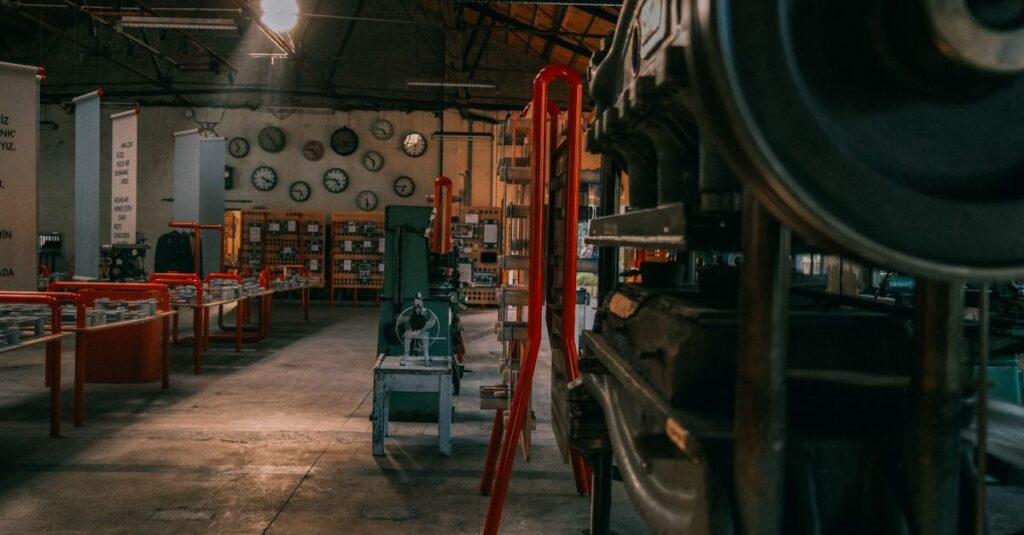
The machine itself is a beast. It’s loud, it’s fast, and it requires an operator who knows its moods. Paper feeds in from one end on a giant reel, gets printed in multiple colors if needed, dried, and then guillotined into precise notebook-sized sheets at the other end. The entire process from blank roll to stacked, printed sheets is what you’re investing in when you talk about printing costs. It’s not just ink on paper; it’s precision engineering at high speed.
The Different Types and Why You Should Care
Okay, so we know it’s a system. But within that, there are variations. And the type of printing machine a manufacturer uses tells you a lot about what they can — and can’t — do for you.
First, there’s sheet-fed versus web-fed. Most smaller or mid-range notebook production uses sheet-fed offset. This is where pre-cut sheets of paper are fed into the press. It’s fantastic for smaller runs, for thicker cover stocks, and for really precise color work. Web-fed, on the other hand, uses those continuous paper reels I mentioned. It’s built for sheer volume. If you’re ordering 50,000 units of a standard school notebook, this is how it’s done. It’s faster, more efficient for long runs, but less flexible for quick changes.
Then there’s the number of colors. A single-color machine prints one ink at a time. Need black ruled lines? Perfect. A four-color machine (often called a CMYK press) can mix those four base inks to create full-color images on your notebook covers. If you want your corporate logo in its exact Pantone shade, or a vibrant, photorealistic cover for a premium diary, you need a manufacturer with at least a four-color capability, and someone who knows how to manage color consistency across a run.
The thing is, most buyers don’t ask this. They just ask for a ‘printed notebook.’ But knowing the difference means you can spot when a supplier is over-promising. A factory with only single-color machines simply cannot give you a full-color cover without outsourcing it — and that adds cost and time. It’s one of those inside details that separates a professional quote from a hopeful guess.
Expert Insight
I was talking to our head press operator, Ravi, last week — he’s been running these machines since before I started the business, honestly — and he said something that stuck. We were looking at a sample from a competitor that had fuzzy, bleeding lines. “The problem isn’t the design,” he said, tapping the paper. “It’s that they’re trying to run 80 GSM paper on a press set up for newsprint. The machine has a personality. You have to match the paper’s thirst to the ink’s flow.” He made it sound like a conversation. And I guess it is. The best printing isn’t about the newest machine; it’s about the operator who understands the dance between paper, ink, and pressure. That experience? You can’t buy it. It’s earned over decades of mistakes and fixes.
How It Fits Into the Whole Notebook-Making Process
This is where most explanations online fall apart. They talk about the printing machine in isolation. But in a real factory, it’s just one act in a play. A crucial act, but not the only one. Let me walk you through what happens before and after that giant press starts humming.
Before Printing: It all starts with paper sourcing. We get reels of paper in specific GSM (thickness) and quality. This paper is tested — for smoothness, for how much ink it ‘drinks,’ for its whiteness. A bad paper reel will jam a press, blur prints, and waste a ton of money. Then, the plates are made. Your digital design is turned into those physical metal plates for the press. This prep work is where most delays happen, by the way. A last-minute change to your logo at this stage means remaking the plate. Which costs.
After Printing: The printed sheets come off the press. They’re not notebooks yet. They’re big stacks of paper. Now they go to the cutting and creasing machines. They’re trimmed down to the exact size — A4, Long, King Size, whatever you’ve ordered. Then, they’re collated (put in the right page order), folded, and sent to the binding line. That could be for stitching, for perfect binding (like a paperback book), or for spiral binding. Only then do they get their covers attached, get packed, and shipped.
The printing machine is the heart, but the binding and finishing are the lungs and hands. If one part is off, the whole product suffers. You can have the most beautifully printed interior pages, but if the binding is weak, the notebook falls apart in a month. I see this all the time with new buyers who focus only on print quality and forget to ask about the stitch per inch count or the glue quality in perfect binding.
A Real-Life Scenario: Why This Knowledge Matters
Let me give you a picture. Priya, 38, is the procurement manager for a chain of private schools in Hyderabad. She needs 20,000 custom notebooks for the new academic year — school logo on the cover, specific ruling (Four Ruled for younger kids, Single Ruled for seniors). She gets three quotes.
Supplier A offers the lowest price. They say they have ‘modern printing machines.’ Supplier B is mid-range. Supplier C (that’s us, in a past life) is slightly higher. Priya, under budget pressure, is tempted by Supplier A. But she asks one extra question, based on a blog she read: “Can you handle four-color process printing for our logo, which has a gradient?” Supplier A hesitates. They say they can ‘simulate’ it. That’s a red flag. It means they’ll approximate the color with spot inks, and it will look flat and off-brand. Supplier B and C say yes, easily. She then asks about paper. Supplier A uses 50 GSM. Supplier B uses 54 GSM. We offer 60 GSM as an option for a tougher notebook. Priya thinks about her students, how hard they are on supplies. She thinks about the school’s brand, how the logo needs to look sharp. The cheapest machine quote was for a different product than the one she actually needed. She went with the mid-tier option, not the cheapest. The notebooks lasted the whole year. The principal was happy. Her job was easier.
The machine wasn’t the decision. What the machine could deliver for her specific need was.
Key Features to Look For When Evaluating a Manufacturer
You’re not buying the machine. You’re buying its output. So how do you, as a buyer, gauge this without touring a factory in Rajahmundry? You ask specific questions. You turn the technical specs into practical concerns.
1. Ask about color capability. “Do you have a 4-color offset press?” If your design has more than one color, the answer needs to be yes. “Can you match a Pantone color?” This is for brand consistency.
2. Ask about paper compatibility. “What’s the range of paper GSM your primary press can handle smoothly?” If you want a premium 100 GSM writing paper for executive diaries, but their machine is optimized for 70 GSM, you’ll get jams and inconsistent prints.
3. Ask about the print finish. Can they do a lamination or a spot UV coating on the cover? This is often a separate machine, but it’s part of the printing ‘department.’ It’s what makes a cover pop or feel luxurious.
4. Ask for a physical sample. Not a digital mockup. Hold it. Write on it. Bend the cover. Check if the printed lines are sharp from the first page to the last. Do the colors on the cover match the colors on the back? This simple test tells you more about their machine’s calibration and their quality control than any spec sheet.
5. Ask about lead times. A modern, well-maintained web-fed press can output an insane number of sheets per hour. If a supplier quotes an unusually long time for a standard order, it might signal machine downtime, maintenance issues, or that they’re outsourcing the printing itself.
I think — and I could be wrong — that most buyers are afraid to sound too technical. Don’t be. A serious manufacturer respects these questions. They show you know what you’re doing. A fly-by-night operator will get vague or defensive. This is your first filter.
Offset vs. Digital Printing: The Notebook Showdown
This is the big debate. And for bulk notebooks, it’s not really a debate at all. But let’s lay it out clearly so you know why.
| Feature | Offset Printing (The Industry Standard) | Digital Printing (The Office Cousin) |
|---|---|---|
| Best For | Bulk orders (1,000+ units), high consistency, custom stationery. | Very short runs (under 500), personalized items (names on diaries), quick prototypes. |
| Cost Per Unit | Much lower for large quantities. High setup cost, then cheap per page. | Higher per unit cost. Low or no setup cost. |
| Print Quality | Superior. Sharper text, richer color, works on a wider variety of papers. | Good, but can struggle with solid color fills and very fine details on certain papers. |
| Setup Time | Longer (need plate-making). | Almost instant (digital file to print). |
| Flexibility | Low once running. Can’t change design mid-run. | High. Every page can be different. |
| The Feel | Ink sits on the paper, giving a slight texture. The professional ‘look and feel.’ | Toner is fused onto the paper, can feel a bit flat or plasticky. |
For 95% of the buyers reading this — schools, corporates, wholesalers — offset is the only logical choice. The quality is better and the price point becomes unbeatable after a few thousand units. Digital has its place, but that place isn’t in producing 40,000 identical school notebooks efficiently. Knowing this helps you ignore suppliers who push digital for large bulk orders; they’re likely not a real manufacturer, just a reseller.
Common Misconceptions We Hear All the Time
Let’s clear the air. I hear these weekly.
“More modern machines automatically mean better quality.” Not true. A well-maintained older press operated by a master craftsman will out-perform a brand-new machine run by an inexperienced crew every single time. The machine is a tool. The real magic is in the hands and eyes of the team.
“All printing is the same.” This one hurts. The difference between sharp, bleed-free ruled lines and fuzzy, grayish ones is the difference between a machine in perfect adjustment and one that’s ‘close enough.’ It’s the difference between caring about the end-user’s writing experience and not. When you’re sourcing notebooks in bulk, that subtle difference is everything.
“The machine is the biggest cost.” Actually, for a manufacturer, the paper is often the largest raw material cost. The machine is a capital investment. The skill is the priceless asset. This is why two factories with identical presses can deliver wildly different products.
Anyway. The point is, don’t get dazzled by jargon or photos of shiny equipment. Focus on the sample in your hand. That’s the only truth that matters.
Conclusion
So, what is a paper printing machine? It’s the engineered heartbeat of notebook manufacturing. It’s not one thing, but a coordinated system designed for scale and precision. Understanding it — even just a little — transforms you from a passive buyer into an informed partner. You stop asking ‘can you print this?’ and start asking ‘how will you print this to ensure consistency across my entire order?’
The goal isn’t to become a printing engineer. It’s to know enough to protect your investment, your brand, and the end-user who actually uses the notebook. Whether it’s a student scribbling notes or an executive planning a quarterly strategy, the quality of the print affects their experience. It sounds small, but it isn’t. It’s the foundation of the product.
I don’t think there’s one perfect machine for every job. Probably there isn’t. But if you’ve read this far, you’re not just looking for a widget; you’re looking for a reliable source for a tool that matters. And that means looking past the machine to the people who run it. See how we think about that process here.
Frequently Asked Questions
What’s the difference between a printing machine and a binding machine?
Think of them as two separate stages. The printing machine puts the ink on the paper — the lines, the text, the cover design. The binding machine takes those printed, cut sheets and fastens them together into a notebook, using stitching, spiral wire, or glue. You need both to make a finished product.
Can a paper printing machine print directly on notebook covers?
Yes, absolutely. For paperback-style covers (like most school notebooks), the cover stock is fed through the same offset press as the interior pages. For hardcover diaries, the cover material might be printed separately using a different method before being wrapped around the board.
How many notebooks can a printing machine produce in a day?
It depends wildly on the machine size and type. A high-speed web-fed press in a large factory like ours can produce enough printed sheets for 30,000 to 40,000 bound notebooks in a single day. Smaller sheet-fed presses might manage a few thousand. The binding process usually paces the final output.
Why is offset printing better than digital for bulk notebooks?
Two main reasons: cost and quality. Once the plates are made for offset, the cost per page plummets, making it unbeatable for large quantities. The print quality is also superior — sharper, more consistent, and it works better on the standard papers used for writing. Digital is for short runs and personalization.
What should I look for in a sample to judge the printing quality?
Hold it to the light. Check if the printed lines are solid and opaque, not see-through or fuzzy. See if the ink color is consistent from the first page to the last. Make sure there are no smudges or spots. And write on it with a pen you normally use. The paper should feel good, and the ink shouldn’t bleed.