

Let’s Be Real: Nobody Just Wants a Blank Notebook
Look, you’re not ordering ten thousand notebooks because you love the color beige. You need them to do something. For a school, they need to teach kids how to write letters neatly. For an accountant, they need columns for numbers that actually line up. For a corporate office, they need your logo front and center, making you look good. That’s the whole point. The paper inside? That’s just the raw material. The pattern, the ruling, the layout — that’s where the actual work gets done. And the people who make that happen, who translate your needs into lines and boxes on a page, are pattern printers. Honestly, it’s one of the most underrated parts of this whole business. If this sounds like the headache you’re trying to solve, understanding the printing part is a good place to start.
So, What The Heck *Is* Pattern Printing?
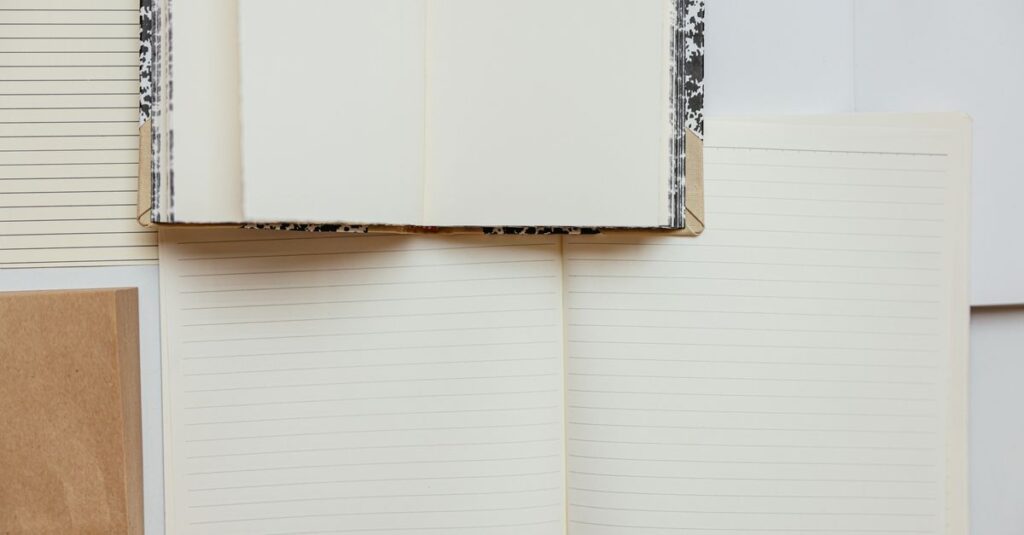
Forget the fancy term for a second. Think about a kid’s math notebook. You know, the one with all the little squares? That’s a pattern. A ledger book with red and blue lines for debit and credit? That’s a pattern. A music sheet with staff lines? That too. Pattern printing is the process of putting those functional guides — not just the decorative cover art — onto the paper before it gets bound into a notebook. It’s the architecture of the page. It tells the user where to put their pen. And it’s a lot more technical than just running a sheet through a printer.
I was talking to the production head at our factory last week — over chai, actually — and he said something that stuck. “A bad pattern,” he said, waving a rejected sheet, “is like a crooked doorframe. Everything you try to build inside it feels off.” He’s right. If the lines aren’t perfectly parallel or the squares aren’t truly square, the whole notebook feels cheap. It frustrates the user. And they’ll blame you, the company that gave it to them.
The Weirdly Specific World of Page Patterns
Right. This is where it gets granular. You can’t just say “give it lines.” You have to know the code. And every manufacturer, school board, and stationery shop has their own dialect. Here’s a quick decoder ring for the most common ones you’ll need:
- SR (Single Ruled): Your classic notebook. One line to write on. Simple. For general notes, school essays. The workhorse.
- DR (Double Ruled): Two lines close together. Primarily for early learners — it gives them a main line to write on and a guide line for letter height. Crucial for KG and primary classes.
- CR (Cross Ruled / Graph): The grid of little squares. For math, engineering sketches, charts. Precision is non-negotiable here.
- FR (Four Ruled): Four lines to a set. This is for specific cursive writing styles taught in many Indian schools. The spacing between those sets is a big deal.
- UR (Unruled): Blank canvas. For drawing, free-form thinking, meetings where you just need to scribble. Feels liberating, until you realize your handwriting slopes downhill.
- OSR (One Side Ruled): One side ruled, the other blank. Popular for subject notebooks where you want notes on one side and diagrams on the other.
And that’s just the basics. We get requests for centre-broad-ruled, margin lines, specific header formats… the list is endless. The point is, knowing what these codes mean is the first step to not looking clueless when you place a bulk order.
Expert Insight
I was reading an old procurement manual from a state education board a while back. Buried in the specs was this line about ruling: “The opacity of the printed rule must be sufficient for clarity but insufficient to distract from the student’s own work.” I love that. It’s not just about putting ink on paper. It’s about psychology. The pattern is a silent teacher, a guide that should be felt more than seen. A heavy, shiny line is annoying. A faint, grey line that disappears when you write over it? That’s craftsmanship. That’s what you’re really buying.
Offset vs. Digital: The Printer’s Dilemma (And Yours)
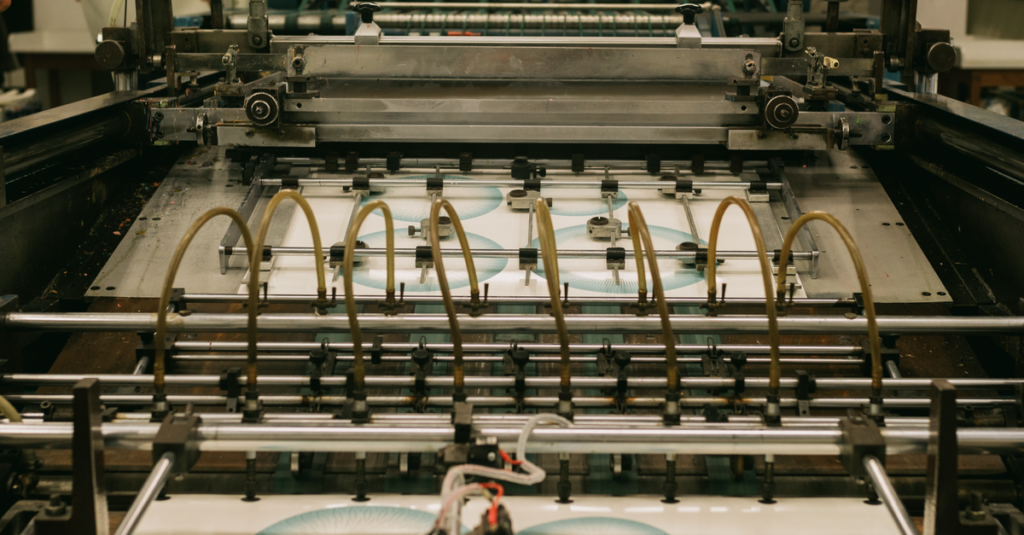
Okay, here’s the inside baseball. How do you actually get these patterns onto thousands of pages? Two main ways, and the choice changes your cost, your timeline, and your minimum order.
| Aspect | Offset Pattern Printing | Digital Pattern Printing |
|---|---|---|
| Best For | Massive bulk orders. Think 50,000+ notebooks of the same ruling. | Shorter runs & high customization. Need 500 special notebooks for a conference? This. |
| Cost Per Unit | Cheaper in huge volumes. The setup cost is high, but then it’s pennies per sheet. | More expensive per sheet, but no setup plates needed. Lower upfront cost. |
| Setup Time | Longer. Making the printing plates is a whole process. Days, sometimes. | Almost none. Send the PDF, and you can be running in hours. |
| Flexibility | Zero. Once the plate is made, that’s the pattern. Change it, and you pay for a new plate. | Total. Change the pattern every 10 pages if you want. No extra charge. |
| Precision & Consistency | Unbeatable. Once the plate is perfect, every single sheet is identical. For school books, this is law. | Very good, but can have tiny micro-variations. For most corporate stuff, it’s flawless. |
The real question isn’t which is “better.” It’s what you need. For supplying an entire district’s schools for the year? Offset, no question. For a corporate client who wants five different department-specific layouts in one order? Digital is your only sane option.
“We Tried to Save Money”: The Bulk Buyer’s #1 Mistake
Let me tell you about Amit. He runs a mid-sized stationery distributorship in Hyderabad. He got a huge order from a private school chain for 20,000 graph notebooks. He shopped around, found a “pattern printer” quoting 15% less than everyone else. Went for it. The books arrived. Looked fine from a distance. But when the teachers handed them out, the complaints started. The grid lines were blurry. Some sheets had a faint double image. The kids’ pencils kept catching on rough spots where the ink didn’t set right. The school rejected the batch. Amit was stuck with 20,000 notebooks he couldn’t sell and a ruined relationship. He told me later, “The pattern looked like an afterthought for them. For my client, it was the entire thought.”
That’s the lesson, right there. The pattern isn’t decoration. It’s the function. Skimping on the printing quality of the functional part is like buying a car with a beautiful body and a faulty engine. It’s pointless. The cheap printer probably used low-quality ink or poorly maintained rollers. The savings evaporate the second your end-user picks up a pen.
Ordering Custom Patterns Without Losing Your Mind
So you need something specific. Not just SR or CR, but a proprietary layout for your company’s project logs, or a special form for a government tender. Here’s how to not make your manufacturer hate you — and get what you actually want.
- Provide a PHYSICAL Sample: “Make it like this.” Hands down the best instruction. Even a rough sketch on paper is worth a thousand vague emails.
- Be Specific About Measurements: Don’t say “wide margins.” Say “2.5cm left margin, 1cm top margin.” In millimeters. Precision prevents three rounds of proofs.
- Specify the Ink: Usually it’s a standard non-reflective blue or grey. But if you need a Pantone colour for branding, say so upfront. That changes the chemistry.
- Ask for a Dummy: Before they run 10,000 sheets, have them bind 5-10 pages into a sample notebook. Write in it. Draw in it. Use it. Feel how the pen flows. This is your only chance to catch mistakes cheaply.
- Talk to the Right Person: Don’t just explain it to the sales guy. Insist on a direct chat with the pre-press or production team. They speak the technical language and will spot potential issues the sales team won’t.
Look, custom pattern work is where we actually earn our reputation. It’s fun. It’s a puzzle. But we need clear pieces to solve it.
Wrapping This Up (Sort Of)
Pattern printing is the invisible science of the notebook world. You only notice it when it’s wrong. For a procurement manager, it’s the difference between a smooth school year and a flood of complaints. For a business, it’s the difference between a generic notebook and a tool that actually improves your team’s workflow. I don’t think there’s one perfect pattern for everyone. Probably there isn’t. But if you’ve read this far, you already know what you need the notebook to do — you’re just figuring out how to tell someone to build it.
And maybe that’s the point. It’s a conversation, not just an order.
Frequently Asked Questions
What’s the difference between a pattern printer and a regular printer?
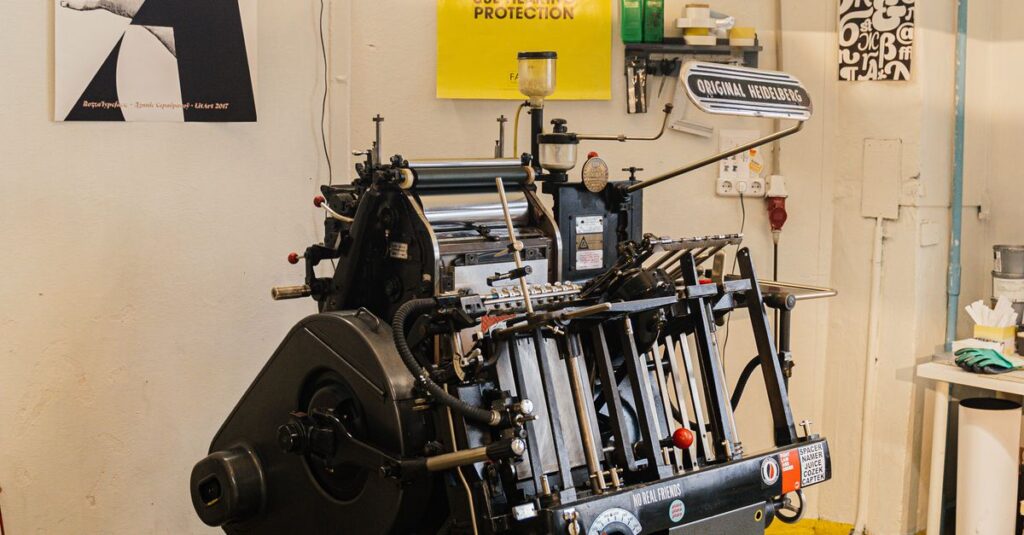
A regular printer typically focuses on the cover art or one-off prints. A pattern printer specializes in mass-producing the functional guides inside the notebook — the lines, grids, margins — with absolute consistency across tens of thousands of pages. It requires specific machinery and expertise in paper alignment and ink formulation.
Can I get a custom pattern printed on just part of the page?
Absolutely. That’s a big part of custom work. You can have a header with a company logo and date field, a specific grid in the center, and a blank footer for notes. The key is providing a very clear mock-up so the printing team knows exactly where everything goes on the sheet.
How long does it take to set up for a new pattern print run?
It depends on the method. For digital pattern printing, setup can be a matter of hours once the file is approved. For offset printing, creating the metal plates can take 2-5 days. Always factor this setup time into your production schedule, especially for bulk orders.
Is pattern printing more expensive for coloured lines?
Yes, usually. Standard ruling uses a single ink (often blue or grey). Adding a second colour (like red for margin lines) means a more complex setup, more ink, and often a second run through the press. This increases the cost, but for certain accounting or specialised notebooks, it’s essential.
What paper GSM is best for pattern printing?
For writing, 54-70 GSM paper is the sweet spot. It’s opaque enough that the pattern doesn’t show distractively through to the other side, but still thin enough for a notebook to have many pages without being a brick. Heavier paper (like 100+ GSM) is for covers or drawing, not standard ruled pages.