

You Have an Image. You Want It on a Notebook. Now What?
You've got a logo. Maybe a school emblem. A corporate branding image. You want it printed on notebooks — clean, sharp, exactly like the digital file. But when you talk to a printer, the questions start. What resolution? What color mode? Offset or digital? It gets confusing fast.
I work with notebook manufacturing, and I see this all the time. A buyer has a perfect image on screen. But the printed version? Not so much. The problem isn't the image. It's understanding how printing images works on different materials.
So let me walk you through what actually matters when you're ordering notebooks with images — whether for a school run or a corporate bulk order. If this sounds familiar, Sri Rama Notebooks deals with these questions daily.
How Printing Images on Notebook Covers Actually Works
Most people think printing an image is simple. You send a JPEG, we print it. Not quite. The image on your screen is made of tiny pixels. A printer lays down dots of ink. The two don't always match. You need a resolution of at least 300 dpi for a crisp print. Less than that and your logo looks fuzzy. (I've seen it happen. More times than I'd like.)
Here are the basics you need to get right:
- Resolution: 300 dpi minimum. 600 dpi for fine details.
- Color mode: CMYK, not RGB. Screens use RGB; printers use CMYK.
- Bleed: Add 3mm extra around the image so it doesn't end up with white borders after trimming.
- File format: PDF or TIFF works best. Avoid JPEG for text-heavy designs.
One thing I've learned: the image that looks perfect on your monitor often looks dull on paper. That's because monitors are backlit. Paper reflects light. So colors shift. You need to proof the design. And I mean a real printed proof. Not a soft proof on screen.
But that's a separate thing.
Why Image Quality Matters More Than You Think
Let me tell you about Priya. She's 34, a procurement manager for a chain of schools in Hyderabad. She ordered 5,000 notebooks with the school crest. The design looked sharp on her laptop. But the printer used a low-res version saved from a website. The result was jagged edges and pixelated text. She had to redo the order. Cost her time and money.
Priya's mistake: she didn't check the source image. The file she sent was 72 dpi — fine for a website, terrible for a notebook cover. The printer should have caught it, but sometimes things slip. That's why I always tell buyers: send the highest resolution file you have. And if you're not sure, ask.
Expert Insight
I remember a client who insisted on using 72 dpi because that's what they used for the web. I tried to explain the difference. They didn't listen. The print came out blurry. They blamed us. We showed them the file specs. After that, they always send 300 dpi. It's one of those lessons you learn the hard way. I think — and I could be wrong — that most image problems come from the same place: people assume digital and print are interchangeable. They're not.
The question isn't whether your image looks good on screen. It's whether it will look good on paper.
Printing Images Inside Notebooks vs. On Covers
There's a difference between printing an image on the cover and printing it on the inside pages. Covers are thicker, often coated, and can handle more ink. Inside pages are usually uncoated and thinner, so the image quality is different.
For covers, you have more options: offset printing for large runs (great for solid colors and sharp text), digital printing for short runs (good for photographs or complex gradients). Inside pages are tricky if you want full-color images. Most notebooks use 54 GSM paper, which is designed for writing, not heavy ink coverage. If you need images inside, consider a higher GSM or a coated stock.
Here's a quick comparison:
| Aspect | Offset Printing | Digital Printing |
|---|---|---|
| Image Quality | Excellent, sharp | Very good for photos |
| Best for | Large runs (1000+) | Short runs (500 or less) |
| Color Accuracy | Pantone matching | CMYK, good for gradients |
| Cost per unit | Lower at high quantity | Higher per unit but no setup |
| Turnaround | Slower (plate making) | Faster (no plates) |
If you're ordering 10,000 notebooks with a single-color logo, go offset. If you need 200 notebooks with full-color photos, digital is smarter. Think about your quantity. And remember: proof before production. Always.
Custom Techniques for Printing Images
Not all images are printed with standard ink. Sometimes you want a special effect. Here are a few options:
- Foil stamping — metallic gold, silver, or copper for a premium look. Works best for logos and text.
- Embossing/Debossing — raised or recessed image. Adds texture. No color, just shape.
- Screen printing — thick, opaque ink for bold solid colors. Durable. Good for sports team logos.
- Full-color digital — for photographs or complex artworks on covers.
One thing I've noticed: people often ask for foil stamping because it looks expensive. It is. But it's also very effective for corporate diaries. The tactile feel makes an impression.
I was talking to a client from Dubai last month — he wanted a gold foil logo on 2,000 diaries for his company. The result was stunning. But he had approved a proof first. That's the key.
Sri Rama Notebooks can help you choose the right technique for your image and budget.
What Bulk Buyers Should Ask Before Ordering
If you're ordering notebooks with images for the first time, ask these five questions:
- What resolution is required for my image?
- Which printing method do you recommend for my quantity?
- Can I see a physical proof before full production?
- How long does the process take? (Including proof approval)
- What file format do you prefer?
Honestly, most printers will work with you if you ask. The ones that don't — run away. You want a partner who checks your files, warns you about problems, and delivers what they promise.
That's the reason we still insist on proofs at our factory in Rajahmundry. It saves headaches later.
Frequently Asked Questions
What resolution do I need for printing images on notebooks?
Use 300 dpi (dots per inch) minimum. For fine details or small text, 600 dpi is better. Low resolution (like 72 dpi) will appear blurry in print. Always check the file before sending.
Can I print a photograph on a notebook cover?
Yes, but it depends on the printing method. Digital printing works well for full-color photos on short runs. Offset can also handle photographs, but requires higher setup cost. For best results, use a cover with a smooth, coated finish.
What file format is best for printing images?
PDF or TIFF are preferred. They preserve quality and support CMYK color. JPEG can also work, but avoid heavy compression. Never use a web image (typically 72 dpi) for print. You'll get a disappointment.
How long does it take to print custom images on notebooks?
Typically 7–14 days after proof approval for offset runs. Digital printing can be faster — sometimes 3–5 days. Bulk orders (5000+) may need more time. Always ask for a timeline before confirming.
Do you offer color matching for printing images?
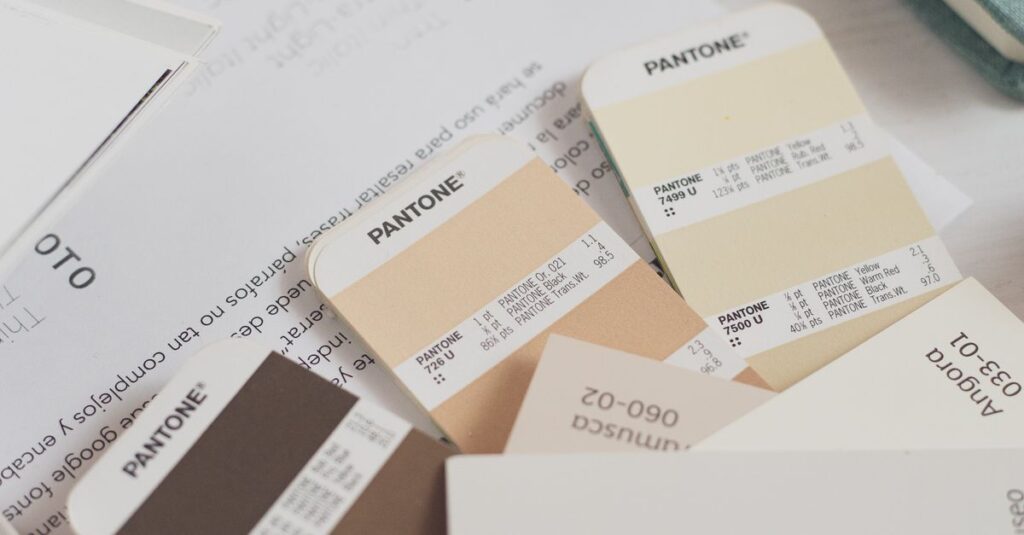
Yes, we offer Pantone color matching for offset printing. For digital, we use CMYK which is accurate but not exact to Pantone. A physical proof helps ensure the color matches your expectation. We recommend proofing for any critical logo work.
Three Takeaways — and One Question Left
First: image resolution matters. Send 300 dpi, CMYK, PDF. Second: choose the right printing method based on quantity and image type. Offset for large runs, digital for short runs. Third: always get a physical proof. It's not optional.
But here's the thing I keep coming back to — most problems in printing images come from assumptions. People assume their screen image will print exactly. It won't. People assume the printer will fix their low-res file. They won't. The responsibility is on you, the buyer, to provide the right file. And on us, the manufacturer, to guide you.
I don't think there's one perfect answer for every order. Sometimes you need to try, fail, and learn. But if you start with the basics, you'll save yourself a lot of trouble. Sri Rama Notebooks — we've been at this since 1985. We can help.