

The Real Work That Goes Into A Notebook
Look, you order notebooks by the thousand. For your school, your corporate giveaways, your government office. You need them on time. You need the logo right. And you need the price to make sense when you’re signing that PO. Right?
The thing is — most procurement managers see a finished notebook and think "paper, print, staple, done." They see the cost per unit and negotiate hard. I get it. That’s the job. But here’s what gets missed: the actual machine printing process is where everything happens. It’s where a notebook becomes durable, or falls apart in a month. It’s where a custom logo looks sharp and professional, or looks like a cheap photocopy. This isn’t just about ink on paper. It’s about machinery that’s been running for decades, operators who can hear a misalignment, and a system built to handle volume without breaking a sweat — or your deadline. If you’re buying in bulk, you need to know this. Understanding how machine printing works is the only way to spot a good supplier from a bad one.
It’s Not Just A Printer. It’s An Assembly Line.
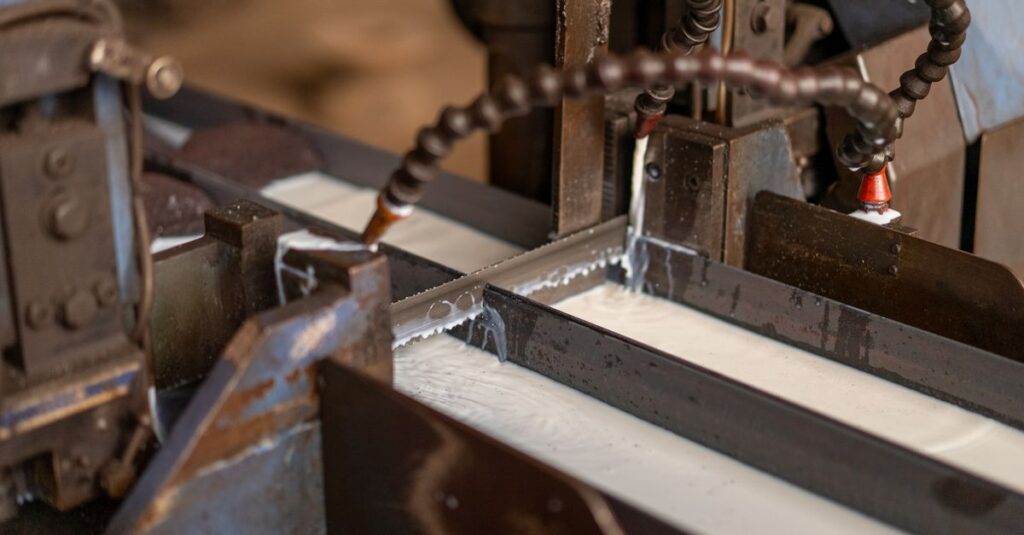
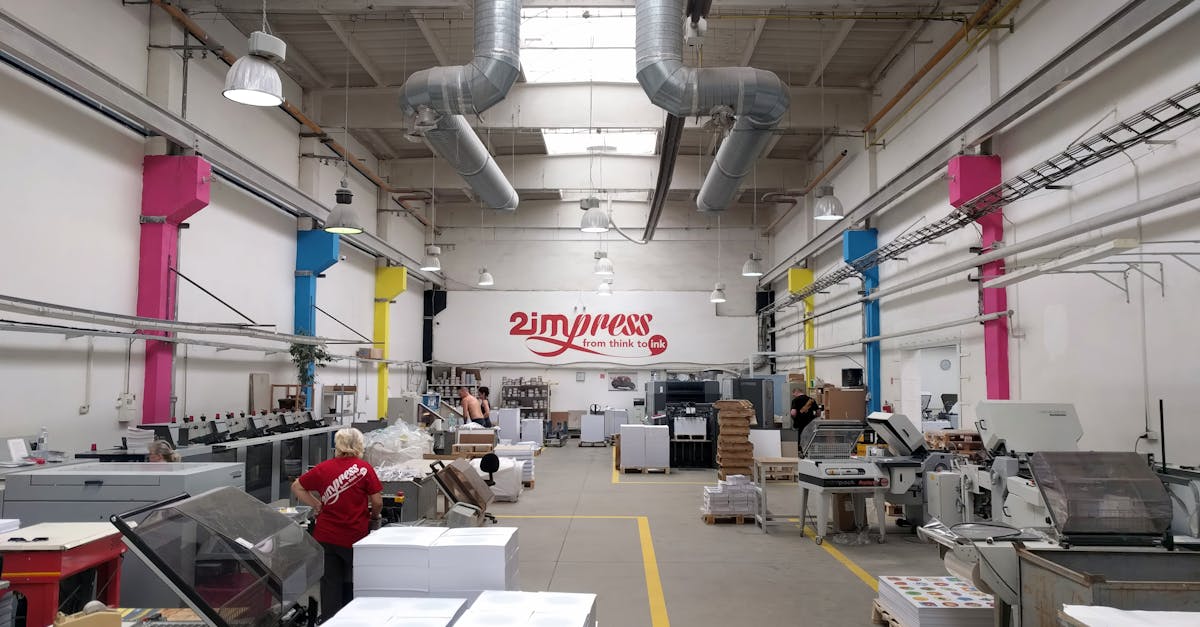
When I say "machine printing," you might picture a big office printer. That’s not it. Not even close. For notebook manufacturing, it’s a full production line. Think of it like a factory within a factory. Paper comes in on giant rolls — we call them reels, sometimes a mile long. The printing machine doesn’t just print one page. It prints 8, 16, 32 pages at once, on a huge sheet, at speeds that would make your head spin.
Then, it cuts, folds, collates, and prepares those sheets for binding. All automated. All synchronized. The real magic — and the real headache for manufacturers — is the setup. Changing from a school notebook with single lines to a corporate diary with a custom cover and dated pages? That takes time. It’s why suppliers ask for lead time. It’s not them being slow; it’s the machine needing a complete reconfiguration. A good factory plans these runs like a chess game. School books in June. Diaries in November. You get the idea.
I was talking to our production manager last week — over chai in the factory canteen — and he said something that stuck. "The machine is only as good as the person listening to it." He can tell by the sound if the tension on the paper reel is off. He can see a slight color shift from twenty feet away. That’s 40 years of experience you’re buying, not just metal and ink.
The Two Types That Actually Matter For Your Order
Okay. Let’s get specific. You’ll hear terms thrown around: offset, digital, flexo. For notebooks, especially the bulk orders you’re placing, it boils down to two main methods. And your choice depends entirely on what you’re ordering.
Offset Machine Printing
This is the workhorse. The king of bulk. If you’re ordering 10,000+ notebooks with the same design — say, standard ruled pages for a school district — this is what you use. Here’s why: once the metal printing plates are made, the machine can run forever. The cost per notebook drops to almost nothing at high volume. The print quality is sharp, consistent, and the ink sits right on the paper. It’s the most economical way to print anything in mass quantity. The catch? Those plates. Making them has a cost and takes time. So it only makes sense for large, identical runs. If you need 50,000 notebooks with your school emblem, this is your method.
Digital Machine Printing
Now, this is the flexible one. No plates. The machine reads a digital file and prints directly. This is for customization. When you want 500 corporate diaries, each with a different employee’s name on the cover. Or when you’re a stationery distributor testing 50 different cover designs for a new product line. The setup is fast. The changeover between jobs takes minutes. But — and this is a big but — the cost per page is higher. It’s perfect for short runs and high variation. It’s terrible for mass-producing 200-page notebooks.
Most good manufacturers, like us, have both. We use offset for the 92-page school notebooks we ship by the truckload. We use digital for the custom logo printing on smaller corporate orders. Knowing which one your supplier is using for your quote tells you a lot about their efficiency — and their honesty.
Expert Insight
I was reading an old trade journal recently — one of those physical magazines that still gets mailed — and a technician wrote something blunt. "A client will complain about a 5% price difference, but never ask about the 30% difference in paper feed technology that determines if their notebook jams in a printer." That’s it. That’s the whole game. The machine’s capability with your specific paper weight (like our standard 54 GSM) is what gives you a smooth writing surface that doesn’t bleed. It’s invisible until it’s wrong.
A Day in the Life of an Order (No, Really)
Let me walk you through something. Not a vague process map. A real timeline for an order we got last month.
Priya, 42, procurement head for a chain of private schools in Hyderabad. She needs 25,000 Long Notebooks (27.2 cm x 17.1 cm) for the new academic year. Single ruled. 92 pages. School logo on the cover. She sent the inquiry on a Tuesday morning.
By Tuesday afternoon, our sales guy has confirmed paper stock (54 GSM, smooth finish). By Wednesday, the design team has prepped the logo file and imposed it for the offset press — that means arranging it to print 16 covers per giant sheet with minimal waste. Thursday, the plates are made. Friday, the paper reels are loaded. The machine runs over the weekend. The sound is a steady, rhythmic hum. By Monday, stacks of printed, folded, and collated "book blocks" are ready for binding. Stitching machines bind them. Guillotines trim them to the perfect edge. By the next Friday, they’re packed in master cartons, loaded on a truck, and on their way to her warehouse. She had them in hand in under three weeks.
The tension point? The first sample. She needed to see and feel the print quality before the full run started. That’s non-negotiable. And it shouldn’t be.
Offset vs. Digital: Picking the Right Tool for Your Job
| Factor | Offset Machine Printing | Digital Machine Printing |
|---|---|---|
| Best For | Bulk, identical orders (10,000+ units) | Short runs, customization, variable data |
| Setup Cost & Time | High cost for plates, longer setup | Almost zero setup, quick to start |
| Cost Per Unit | Very low at high volume | Higher, but no minimum quantity |
| Print Quality | Exceptionally sharp, professional finish | Very good, but can vary with paper |
| Flexibility | Zero. Cannot change once plates are made. | Maximum. Change design every notebook. |
| Turnaround Time | Longer lead time, faster once running | Extremely fast for the first notebook |
What Can Go Wrong (And How to Avoid It)
This is the part nobody wants to talk about in sales meetings. But you need to know. Machine printing is mechanical. Things wear out. Operators have bad days. Here are the three big fails I’ve seen buyers get stuck with.
Misalignment. The printing isn’t centered on the page. The margins are off. The logo is too close to the edge. This happens when the paper feed is misaligned by a fraction of a millimeter. A good factory has quality checks every 500 notebooks. A bad one doesn’t catch it until you do.
Ink Density. The print looks faded. Or it’s too thick and smudges. This is about ink viscosity and roller pressure. It’s a skill thing. Ask for a physical sample on the exact paper you’re ordering. Don’t accept a digital proof as gospel.
Paper Jams and Wastage. This is internal, but you pay for it. If a machine isn’t maintained, it jams. Torn paper reels, misfed sheets — it all adds to waste, which adds to your cost. Ask about their machine uptime and maintenance schedule. It sounds technical, but a confident supplier will tell you.
Honestly? The biggest red flag is a supplier who won’t let you visit the factory floor. If they’re running a tight ship with modern notebook printing machines, they’re proud to show it. If they make excuses, walk away.
It Comes Down to Trust (And a Few Smart Questions)
You’re not buying a commodity. You’re buying a promise. The promise that 40,000 notebooks will be identical, will arrive on schedule, and won’t embarrass you when you hand them out. So how do you vet that?
Don’t just ask for a price list. Ask these questions:
- "What kind of printing machine will you use for my order, and why?" (They should explain offset vs. digital based on your quantity).
- "Can I get a pre-production sample on the correct paper?" (This is non-negotiable).
- "What’s your daily production capacity for this type of notebook?" (Our answer: 30,000 to 40,000. It sets realistic timelines).
- "What is your standard wastage percentage, and how is it controlled?" (This tells you about their efficiency).
Their answers will tell you everything. You’ll hear confidence or hesitation. You’ll see detail or vagueness. In my experience, the best partnerships start when a buyer understands the process enough to ask the right things. It turns a transaction into a collaboration.
Frequently Asked Questions
What is the difference between machine printing and hand printing for notebooks?
Machine printing is fully automated, high-speed, and consistent — perfect for bulk orders. Hand printing is artisan-level, slow, and used for luxury or craft notebooks. For school, corporate, or institutional supply, machine printing is the only practical option for cost, speed, and uniformity.
How long does machine printing take for a bulk notebook order?
It depends on the size and complexity. For a standard order of 20,000 notebooks, expect 2-3 weeks from confirmed order to dispatch. This includes plate making (if offset), machine setup, the print run, binding, trimming, and packing. Always factor in sample approval time.
Can you print custom logos using machine printing?
Absolutely. This is a core service. For large quantities, we use offset printing for sharp, durable logos. For smaller batches, digital machine printing allows for full-color, detailed logos without the cost of plates. We handle everything from your design file.
Is machine printing cost-effective for small orders?
For very small orders (under 500 notebooks), digital machine printing is cost-effective because there’s no plate cost. For true bulk (10,000+), offset printing becomes far cheaper per unit. We can advise on the most economical method for your quantity.
What paper weights work best with notebook printing machines?
Most standard notebook paper is between 50-80 GSM. Our standard is 54 GSM — it’s the sweet spot for smooth writing, minimal bleed-through, and reliable feeding through high-speed machines. Heavier papers (for cover or premium books) require different machine settings.
Final Thought
At the end of all this — the machinery, the processes, the technical specs — what you’re really buying is reliability. You need notebooks that look professional, last the school year, and reflect well on your organization. Machine printing, done right, is an invisible art. It’s the reason a student can open a notebook and just write, without the paper tearing or the ink smudging.
I don’t think there’s one perfect supplier for everyone. Probably there isn’t. But if you’ve read this far, you’re not just looking for a vendor. You’re looking for a partner who understands that your name is on that cover, too. And that’s the only thing that really matters here. If you want to see what that partnership looks like on your next order, let’s start a conversation.