


It’s Not Just About Ink Anymore
You’re looking at a quote for 10,000 branded notebooks. The printer mentions “new printing technology.” You nod. But inside, you’re thinking — what does that even mean? Is it a gimmick? Will it cost more? Is my logo going to look blurry?
Right. Let’s cut through the noise. Most of the time, when someone in our world says “new printing,” they’re talking about one of two things: the shift from old-school offset to modern digital printing, or the clever hybrid systems that mix the best of both. It’s not just a buzzword. It’s a real change in how your notebooks get made — and honestly, it’s one of the few upgrades in this business that actually makes sense.
If you’re buying for a school, a corporation, or a distributor, the printing tech your supplier uses affects your cost, your timeline, and the quality of the product you’re putting your name on. It’s worth understanding. And if this sounds like the kind of detail you need to get right, our approach to printing might be worth a look.
What “New Printing” Actually Is (And What It Isn’t)
Okay, let’s define it simply. In the notebook and stationery manufacturing world, “new printing technology” generally refers to high-quality digital printing presses and automated hybrid workflows. It’s the move away from processes that required physical printing plates, long setup times, and massive minimum order quantities just to be economical.
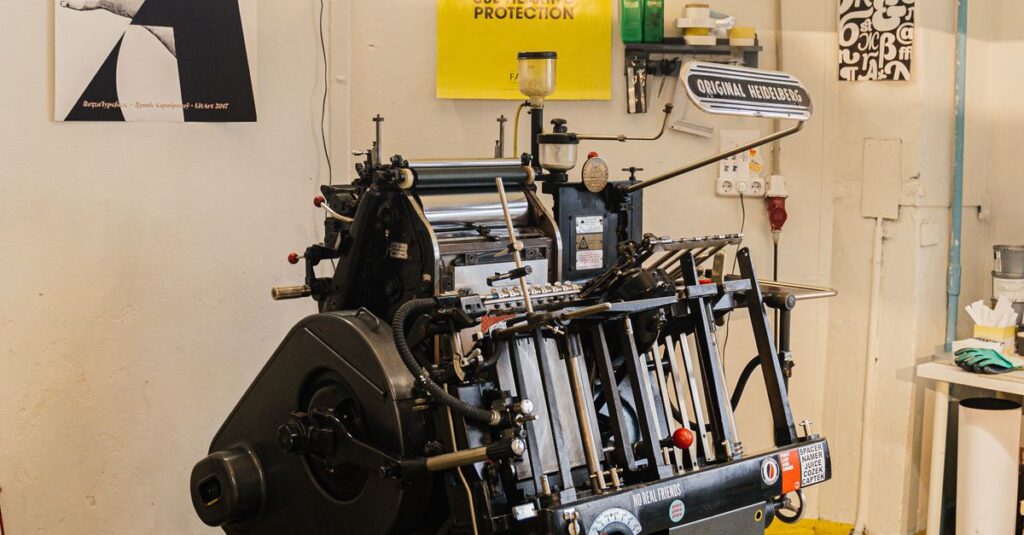
The old way — offset lithography — is fantastic for huge runs. It’s consistent, the color is rich, and the per-unit cost drops like a stone past 20,000 copies. But what if you need 500 custom notebooks for a corporate event? Or 2,000 with a unique cover design for a school? Setting up an offset press for that is… a headache, honestly. The setup cost kills you.
That’s the gap digital printing fills. Think of it like a giant, industrial-grade office printer. It takes a digital file and prints directly onto paper or cover stock. No plates. Minimal setup. The trade-off, for a long time, was quality and cost per page. The ink didn’t sit as well, the color wasn’t as vibrant, and running 10,000 pages was wildly expensive.
The “new” part is that those trade-offs have nearly vanished. The machines are better. The inks are better. The quality, especially for the text and line art inside a notebook, is now almost indistinguishable from offset. For the covers? It can get scarily close.
A Quick, Real-Life Example
I was talking to a procurement manager for a tech company in Hyderabad last month — over a very bad Zoom connection — and she was stressed. They needed 1,500 welcome kits for new hires, each with a custom notebook. Their old supplier quoted a 6-week lead time and a price that made finance wince, all because of “plate and setup charges.” She found a manufacturer using newer digital printing tech. They delivered in 12 days. The notebooks were fine. More than fine. She said the new hires actually commented on them. The cost was higher per book, but with no setup fee, the total was lower. She was relieved, but also annoyed she’d been overpaying for the wrong technology for years.
Which is… a lot to sit with.
The Two Main Types of New Printing for Notebooks
So, what are you actually choosing between? Let’s break it down. You’ll mostly hear about these two.
1. High-Speed Digital Printing
This is the workhorse for modern, customized, mid-volume runs. A massive digital press feeds, prints, and sometimes even finishes sheets in one go.
- How it works: Your PDF file goes straight to the machine. Electrostatic drums (like in a laser printer) or inkjet arrays lay down toner or liquid ink. It’s all computer-controlled.
- Best for: Short to medium runs (from 50 to about 5,000 units). Jobs where every notebook can be different (variable data printing — think individual names on diaries). Rush orders. Prototypes.
- The real benefit: Agility. You can change the design between batches with a click. No waste from washing plates. It makes custom and private label manufacturing actually viable for smaller orders. If you’re a notebook manufacturer working with startups or event planners, this is probably your most-used machine.
Look, I’ll be direct. The quality is now good enough for 95% of commercial applications. The paper feels the same. The text is sharp. The only place you might still see a difference is in large, solid blocks of very specific brand colors (a particular shade of blue, for example). Digital can struggle to match that perfectly.
2. Hybrid & Automated Offset Printing
This is where it gets interesting. This isn’t replacing offset; it’s making it smarter. Think of it as offset printing with a brain.
- How it works: You still use metal plates. But now, machines laser-engrave those plates on-demand from a digital file in minutes, not hours. Presses are computer-controlled for perfect color registration automatically. Automated feeders and stackers handle the paper. It removes the skilled labor bottleneck and the “make-ready” time waste.
- Best for: Larger runs where offset’s cost advantage still wins (say, 5,000+). Jobs requiring absolute color perfection or special inks (metallics, fluorescents). High-volume school notebook orders with standard layouts.
- The real benefit: It keeps the quality and low per-unit cost of offset but adds the speed and consistency of digital control. The “new” part is the automation and the digital platemaking. It means fewer errors, less paper waste, and faster turnaround even on traditional offset jobs.
Anyway. Where was I.
The question isn’t which technology is “better.” It’s which one is right for *your* specific order size, design, and budget. Most good suppliers now have both and will recommend the appropriate one.
Side-by-Side: Digital vs. Modern Offset for Your Notebook Order
Let’s make this practical. You’re evaluating a quote. Here’s what you’re actually comparing.
| Factor | Digital Printing | Modern Automated Offset |
|---|---|---|
| Best For Run Size | 50 – 5,000 notebooks | 5,000 – 500,000+ notebooks |
| Setup Time & Cost | Very low. Almost none. | Moderate. Reduced by automation. |
| Cost Per Unit | Higher per book, but flat. | Lower per book, but only after setup. |
| Customization | Excellent. Every book can be unique. | Poor. One design per plate/run. |
| Color Accuracy & Vibrancy | Very Good. Can struggle with specific PMS colors. | Excellent. Industry standard for color matching. |
| Lead Time | Short (Days to a week) | Medium to Long (Weeks) |
| Paper Flexibility | Good with treated papers. | Excellent. Works on any standard stock. |
This is the part nobody says out loud: most institutional buyers are over-ordering. They hear “offset is cheaper” and order 20,000 notebooks to get the price down, only to have 8,000 sit in a storeroom for two years. New digital tech means you can order what you actually need, more often, and your total spend might be lower. It changes the calculus.
Why This Matters for Schools, Corporates, and Distributors
It’s easy to think this is just a factory problem. It’s not. The printing technology your manufacturer uses directly impacts you.
For Corporate Procurement: Your marketing team wants agility. They dream up a new campaign quarterly. With old printing, you’d have to say no to custom notebooks — the MOQ was too high, the lead time too long. Now? You can order 300 premium notebooks for a leadership offsite with a custom cover design that matches the campaign. It’s feasible. It makes you look good. It’s not about printing; it’s about enabling your internal clients.
For School Administrators: You’re not just buying ruled paper. You’re branding an experience. Maybe this year, you want the school logo and motto on every notebook. Or you need a special edition for the science fair winners. Digital printing means you can do that without committing to a 5-year supply. You can test a new notebook design for one grade level. It’s control.
For Distributors & Wholesalers: Inventory is risk. Dead stock is money in a warehouse. The ability to run smaller batches of private label notebooks for different retail chains — or to test a new cover design without a massive upfront commitment — is a game changer. It turns notebooks from a bulk commodity into a more responsive product.
I’ve heard this enough times now to know it’s not coincidence. The people who switch to suppliers with this newer tech don’t just get notebooks. They get flexibility. And in a world where everyone wants everything yesterday, flexibility is the real product.
Expert Insight
I was reading an industry report last month — one of those dry, expensive ones — and one line stuck with me. A production manager from a massive European stationery firm said the biggest shift isn’t the print quality. It’s the data. Digital printing is fundamentally a data-driven process. Every sheet is tracked. Color consistency is monitored by software, not just a skilled press operator’s eye. Waste is measured in single sheets, not skids. That means predictability. And for a procurement manager placing a large order, predictability (on cost, on quality, on time) is everything. I don’t have a cleaner way to put it than that.
Common Mistakes When Evaluating Printing Tech
Let’s talk about how this goes wrong. I see three big ones.
Mistake 1: Chasing the Lowest Per-Unit Cost Blindly. Yeah, offset gives you a gorgeous price per notebook at 50,000 units. But did you need 50,000? Did you factor in the capital tied up in inventory, storage costs, and the risk of obsolescence? That low per-unit cost can evaporate. Sometimes, paying a bit more per book for a smaller, just-in-time digital run is the smarter financial move overall.
Mistake 2: Assuming Newer Means More Fragile. There’s a belief that digitally printed covers won’t last, that the ink will rub off. That was true… maybe ten years ago. Modern toner and UV-cured inks are incredibly durable. They’re often more scratch-resistant than traditional offset inks because they’re fused or cured onto the paper. Don’t let old assumptions veto a better process.
Mistake 3: Not Asking for Samples. THIS IS NON-NEGOTIABLE. Any reputable supplier will run a sample for you on the actual machine, with your actual design, on the actual paper you’ve chosen. Don’t just look at a glossy brochure sample. Get *your* sample. Feel it. Write on it. Try to smudge it. The proof is literally in the product.
Anyway. The thing about — okay, let me rephrase that. Your job is to get the best value, not just the lowest price. Understanding the tech is how you do that.
What To Ask Your Notebook Supplier About Their Printing
You’re on the call. The salesperson is friendly. Here’s what to ask to cut through the fluff.
- “For my order of [X] quantity with [Y] design, which printing method do you recommend and why?” This forces them to justify their choice. A good answer will balance quality, cost, and speed.
- “Can I get a physical sample printed with my design before committing to the full order?” If they hesitate, walk away. Seriously.
- “What’s the true lead time from final approved artwork to shipment?” Get them to break it down: prepress, printing, binding, packing. The new tech shines in the prepress and printing phases.
- “How do you handle color matching, especially for logos?” Do they use Pantone (PMS) guides? Can they provide a color proof? This reveals their attention to detail.
- “What happens if there’s a mistake in the print run?” Who is liable? New tech has fewer manual errors, but it’s not zero. Their answer tells you about their quality control and customer service.
Right.
Asking these questions does two things. It gets you better information, and it signals to the supplier that you’re informed. You’ll get a better quality of service.
Frequently Asked Questions
Is new digital printing technology more expensive than traditional offset?
It depends on your order size. For the actual printing cost per page, digital is usually higher. But offset has high upfront “make-ready” costs for plates and setup. So, for small to medium runs (under 3,000-5,000 notebooks), the total cost of a digital print run is often lower because you avoid those setup fees. For large bulk orders, offset’s lower per-unit cost wins out.
Does the print quality from digital machines last as long?
Yes, absolutely. This is a common concern, but modern digital printing uses toner or UV inks that are fused or cured onto the paper. They’re highly resistant to smudging, scratching, and fading. For standard notebook use — being carried in a bag, written in, shelved — the durability is on par with, and sometimes exceeds, traditional offset printing.
Can I print a different design on every notebook with new printing tech?
With digital printing, yes. This is called “variable data printing” and it’s a major advantage. You can personalize each cover with different names, numbers, or even unique images without slowing down production or increasing cost. It’s perfect for event souvenirs, corporate gifts, or personalized student diaries. Traditional offset cannot do this economically.
What file format is best for submitting a design for new printing?
Always provide a print-ready, high-resolution PDF. Your designer should embed all fonts and use CMYK color mode (not RGB). For logos, a vector-based file (like .AI or .EPS) is ideal as it can be scaled perfectly. Avoid low-resolution JPGs from websites — they’ll look pixelated when printed. A good supplier will have a pre-press team that can check your files, but starting with the right format avoids delays.
Are there any design limitations with new digital printing?
Fewer than before, but some remain. Very large, solid areas of dark color can sometimes show slight toner banding. Matching exact Pantone (PMS) spot colors can be trickier than with offset, though digital color matching has gotten very good. Also, some specialty papers or textures may require a specific digital primer. The best practice is to consult with your manufacturer’s design team early in the process — they can advise on optimal design for the chosen new printing method.
The Takeaway: It’s About Options, Not Magic
So, here’s where we land. “New printing technology” isn’t a magical solution that makes everything cheaper and perfect. It’s the expansion of options. For decades, if you wanted a custom notebook, you had one path: offset, with all its requirements for big volumes and long timelines.
Now you have a choice. You can use agile digital printing for small, personalized, urgent jobs. You can use automated offset for massive, color-critical bulk orders. You can find a supplier who offers both and gives you an honest recommendation based on your needs, not just their machine schedule.
That’s the shift. It’s power moving to the buyer. You can demand faster. You can demand smaller batches. You can demand more customization. The technology now exists to make it happen without sacrificing quality.
I don’t think there’s one perfect answer here. Probably there isn’t. But if you’ve read this far, you already know what you need from your notebook order — you’re just figuring out if a manufacturer can actually deliver it. The good news? Now, more than ever, they can.
If you’re evaluating a custom notebook project and want to talk through which printing method makes sense for it, we can run the numbers with you. No fluff, just the practical pros and cons.